I’ve partial had this setup for a bit, but I started to put a few more of the pieces together over the last few days.
The goal is to setup some basic LLM workflows on my server to do automations, aggregate my research notes and what not.
VM layout
On my new server I have proxmox setup. I use two VMs at the moment.
- prod-vm-app-01
- prod-vm-ai-worker-01
The first VM is a generic applications VM (various web services). The second VM is my “AI worker” VM that has access to the GPU in my server and about half of the servers resources.
Ollama
I’m using Ollama for loading and running models.
  ollama:
    image: ollama/ollama:latest
    container_name: ollama
    restart: unless-stopped
    ports:
      - "11434:11434"
    volumes:
      - /mnt/storage/homelab/docker/ollama:/root/.ollama
    env_file:
      - ollama.env
    deploy:
      resources:
        reservations:
          devices:
            - capabilities: [gpu]
              count: all
              driver: nvidia
# ollama.env

OLLAMA_HOST=0.0.0.0
OLLAMA_DEBUG=1
OLLAMA_FLASH_ATTENTION=1
OLLAMA_GPU_OVERHEAD=1073741824
NVIDIA_VISIBLE_DEVICES=all
NVIDIA_DRIVER_CAPABILITIES=compute,utility
This is a pretty standard setup. I have debug enable and something called flash attention as supposedly it helps reduce VRAM usage.
I’m issues I’m having with ollama is it sometimes stops loading the models onto the gpu. Which is honestly ridiculous but we vibing so whatever I guess.
OpenWebUI
One of the most common chat interfaces to local LLMs is OpenWebUI (honestly the name could be more descriptive).
  open-webui:
    image: ghcr.io/open-webui/open-webui:main
    container_name: open-webui
    restart: unless-stopped
    ports:
      - "8300:8080"
    volumes:
      - /srv/homelab/docker/open-webui:/app/backend/data
    environment:
      # Point to Ollama on GPU VM — replace with actual IP
      - OLLAMA_BASE_URL=http://192.168.1.3:11434
      # Use Ollama for embeddings (keeps everything local)
      - RAG_EMBEDDING_ENGINE=ollama
      - RAG_EMBEDDING_MODEL=nomic-embed-text
      # Markdown-aware chunking for Obsidian notes
      - ENABLE_RAG_HYBRID_SEARCH=true
      - CHUNK_SIZE=1500
      - CHUNK_OVERLAP=200
      - CHUNK_MIN_SIZE_TARGET=1000
This is setup on my server and pointed at my ollama instance. That is actually it in terms of setting up the chat interface to an LLM.
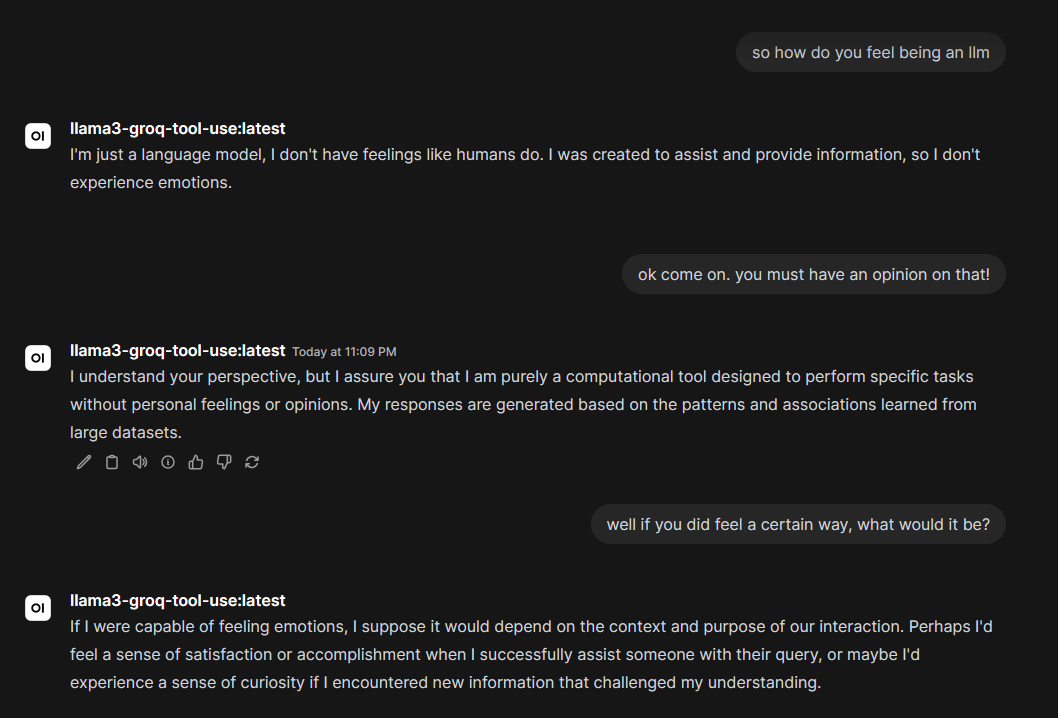
Knowledge
Ok so the LLM is setup. That’s nice. However, that’s not really enough to be useful. The point of a local model is feeding it my notes and data. For that we need RAG (retrieval augmented generation)
OpenWebUI supports this natively.
However, the interface if pretty basic. You can only manually add one file at a time. Which obviously isn’t going to do.
I’m using a tool called openwebui-content-sync to sync parts of my obsidian store automatically to open webui
  knowledge-sync:
    image: ghcr.io/castai/openwebui-content-sync:latest
    command: ["/root/main", "-config", "/app/config.yaml"]
    depends_on:
      - open-webui
    volumes:
      - /mnt/storage/sync/obsidian:/data/obsidian:ro
      - ./config.yaml:/app/config.yaml:ro
# config.yaml
openwebui:
  base_url: "http://open-webui:8080"
  api_key: "sk-5ee8d6b7384b4503bd511624e29e2c2d"

local_folders:
  enabled: true
  mappings:
    - folder_path: "/data/obsidian/Career"
      knowledge_id: "6752fe01-5885-4832-b51c-941e80008e4c"
    - folder_path: "/data/obsidian/CodeTech"
      knowledge_id: "1d8a7573-0d7d-47e5-b741-99606d3b2122"
    - folder_path: "/data/obsidian/Travel"
      knowledge_id: "a8f138f6-5faa-4f0f-be59-3b504567113d"
    - folder_path: "/data/obsidian/Journal"
      knowledge_id: "7e4a929d-9eae-4841-9a66-345f952004cb"
You have to create the knowledge stores in the open webui gui manually first and then put that ID in the config.
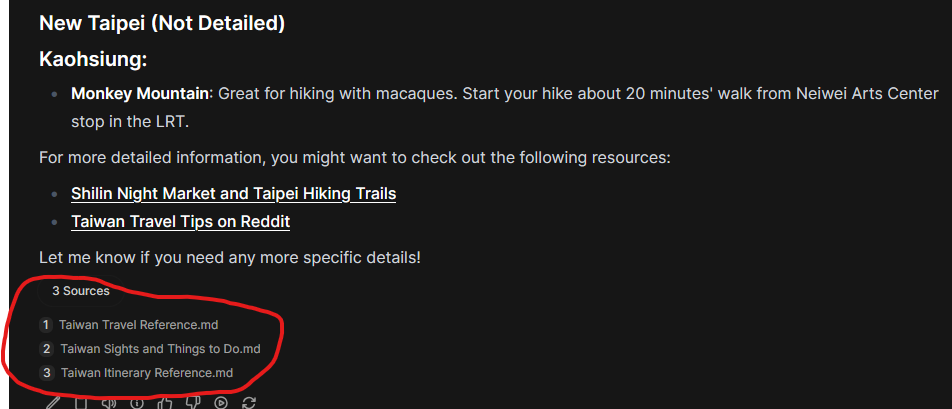
You can add knowledge stores to chats for the LLM model to reference.
Example listing some information I have on Taiwan from my travel notes.
Issues with RAG
I find it hard to debug if it’s actually trying to pull information from the RAG store or if it’s just some output from the model. I’ll need to play around with seeing if it can surface some very specific information I have in the vault. But theorectically it’s all connected up.
Issues with Tool calling
Once of the main things I need to do is call tools from the LLM. For example I thought, “let’s see if I can set up a simple meal planner to shopping list workflow”. But as far as I’ve experienced so far, open models are just not very good at calling tools.
I’m current using a fork of a mealie MCP server
  mealie-mcp-server:
    image: ghcr.io/nnarain/mealie-mcp-server:develop
    container_name: mealie-mcp-server
    ports:
      - "8925:8000"
    environment:
      - TZ=America/Toronto
      - MEALIE_BASE_URL=http://mealie:9000
      - MEALIE_API_KEY=${MEALIE_API_KEY}
      - UVICORN_HOST=0.0.0.0
      - UVICORN_PORT=8000
    depends_on:
      mealie:
        condition: service_healthy
    restart: on-failur
which I expose to my open webui instance.
Text to Speech
TTS was really easy to set up. The setup the follow on my GPU VM and plugged it into the openwebui settings.
  kokoro-tts:
    image: ghcr.io/remsky/kokoro-fastapi-gpu:latest
    volumes:
      - kokoro_app_data:/app/api
    user: "1001:1001"  # Ensure container runs as UID 1001 (appuser)
    ports:
      - "8880:8880"
    environment:
      - PYTHONPATH=/app:/app/api
      - USE_GPU=true
      - PYTHONUNBUFFERED=1
      - API_LOG_LEVEL=DEBUG
    deploy:
      resources:
        reservations:
          devices:
            - driver: nvidia
              count: all
              capabilities: [gpu]
That was all that was needed.
Android App!
There is actually an Open WebUI client called Conduit on the Google play store. Store I’ve tried playing around with that. Works great so far and I think it’ll be a good option once I can more of the system in place.
Voice mode
Open webui (and the app), support voice interaction mode. Which is kinda cool and you can play around with the voice settings. Not too much to report there, just kind fun.
Future work
The main things for my are going to my trying to figure out how to improve tool calling and RAG. The other thing will be an obsidian mcp server for searching my vault graph more constructively.